NPS onboarding took 20 minutes. PensionBox made it 2, Got Acquired by Zerodha
Building India's first purpose-built NPS account opening experience from scratch, at a fintech startup with no PM, that cut industry time by 90% and was acquired by Zerodha.

Outcomes
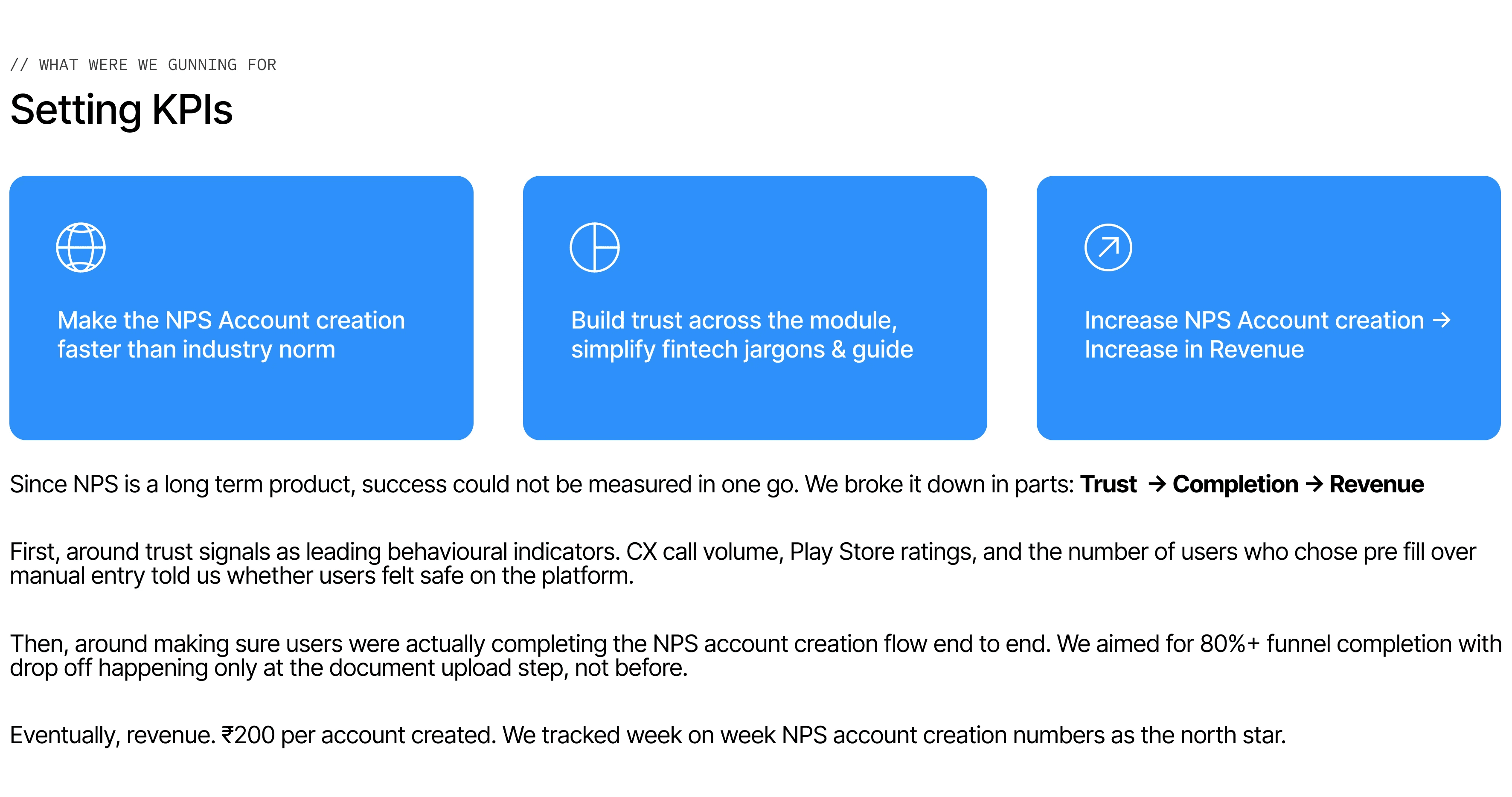
~2 mins
Avg completion
90%
Faster than industry
2L+
Users onboarded
Zerodha
Acquired by, 2025
My role
Nishit Mangal · PM, Designer, Researcher, Barista ;)
Joined Day 0 as the only founding designer & first employee. No PM. So I became one.Owned the design end-to-end. Led prototyping, user testing, developer handoff and post MVP testing.
About PensionBox
PensionBox was a retirement fintech built to help working Indians plan for life after 60. The core product let users track their retirement corpus, set savings goals, and invest through government-backed instruments like NPS(similar to 401k).
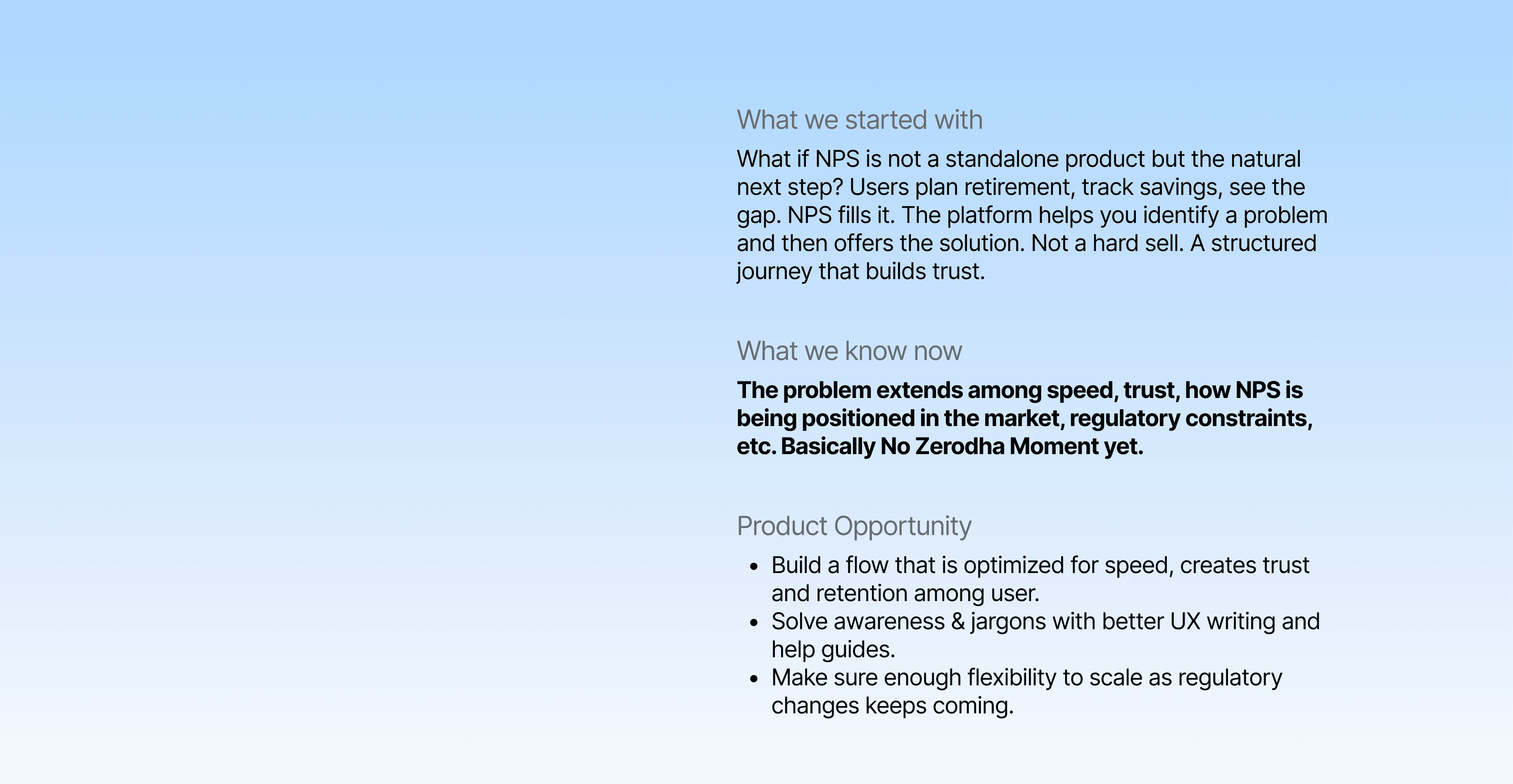
Just founders and me operating in a space most fintechs ignored. Retirement planning had no Zerodha moment yet. No one had made it simple, trustworthy, or mobile-first for the average Indian salaried professional.
That was the gap PensionBox was built to fill. In 2025, Zerodha acquired us.

Overview
In 2021, opening an NPS account in India meant 20-minute ordeal of long forms, government jargon, and random redirects to third-party portals that looked like scam pages. Every platform plugged into the same government API, painted a UI on top, and shipped it.
Nobody questioned whether it could be different.
I joined PensionBox on Day 0 as first employee. No PM. No design system. No prior version to reference. Just a problem: make opening an NPS account feel like something a 26-year-old would actually do.
I reverse engineered it, each step, each field was questioned, that’s how we cut that 20-minute industry average to under 2 minutes, onboarded 2 lakh+ users, and was acquired by Zerodha in 2025. The NPS onboarding module was a core part of what made that conversation happen.
Let’s break down the problem
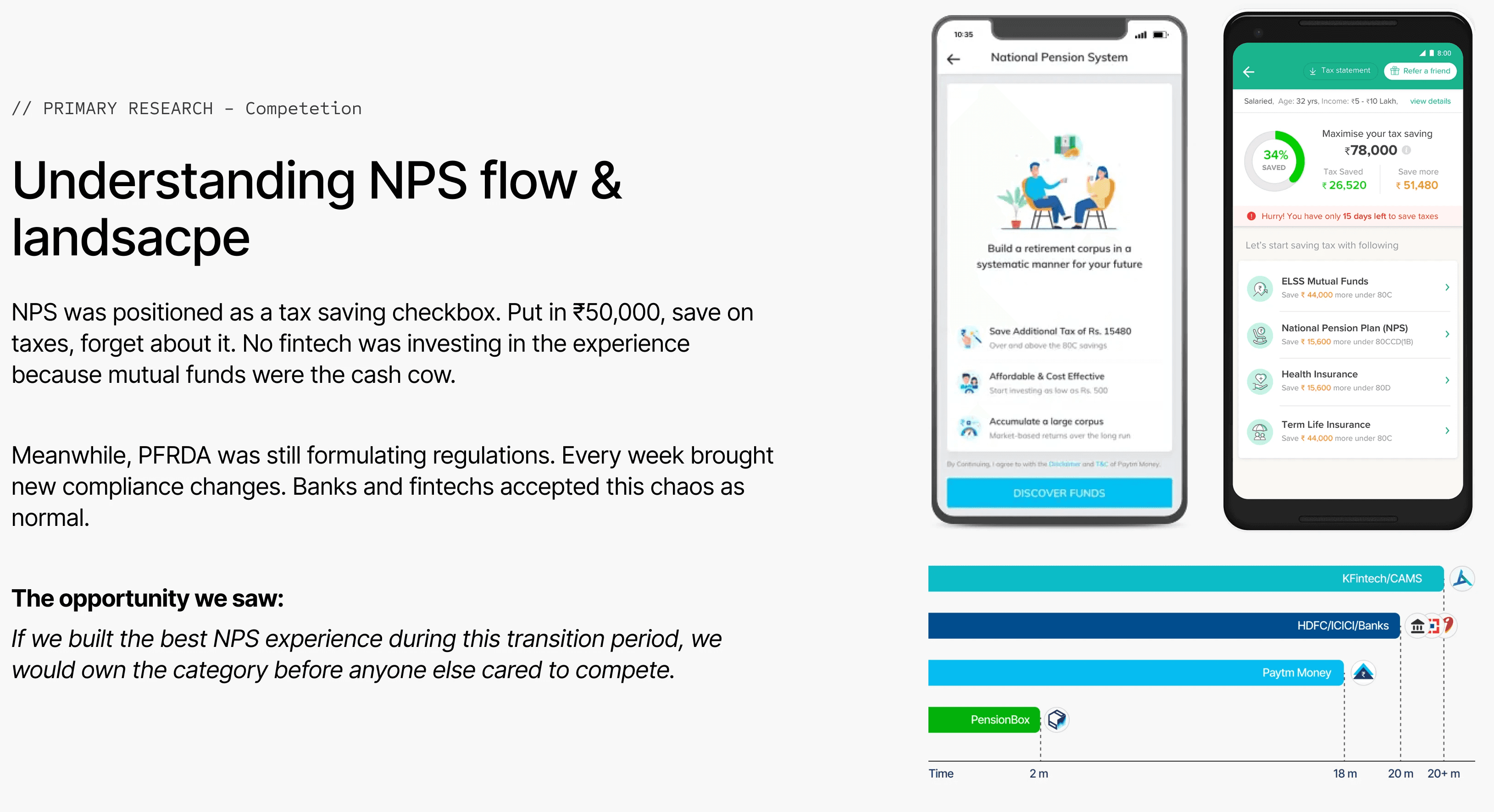
National Pension Scheme(NPS) is a Indian government investment instrument, that focuses towards saving finances for citizens retirement. Just like how equity market is regulated by SEBI. NPS is regulated by PFRDA and Gov. handles distribution & complaince of APIs to fintech apps to build tech layer.




Talking to users before drawing anything
With the data model mapped, I ran card sorting sessions with 20+ users across all three knowledge levels. Two specific questions guided everything: where do users mentally group information, and where do they feel unsafe?
Users consistently separated identity information (who I am) from financial information (how I pay) from investment information (where my money goes). The government API organised fields by technical dependency. Users organised them by emotional weight.
Anxiety peaked at three moments: entering PAN and Aadhaar together on one screen, the payment step, and the redirect to KFintech. Those two insights — mental grouping and anxiety mapping — became the architecture.

Card sorting
Iterations
API-native flow with clean UI


Chunked forms without pre-fill
Pre-fill without consent framing

Learnings
Each failure had a precise lesson. Iteration 01 said the problem was structural, not visual. Iteration 02 said the problem was trust, not just cognitive load. Iteration 03 said that pre-fill only works when users feel in control of it.
The final solution combined all three learnings: chunked screens, pre-fill, and explicit consent with visible edit controls at every step. None of it would have been possible to validate without going through the failures first.
Testing two architectures
Once we had the Information Architecture ready. We preformed A/B testing with users on into 2 variants.
Variant A: API-native sequence
Fields empty by default. Users typed everything. Steps matched the technical dependency order. Clean visual design and better IA.
Variant B: User mental model
Fields pre-filled from KYC. Users reviewed and confirmed instead of typed. Steps grouped by emotional weight. Trust signals at every anxiety point.
Variant B was faster. More importantly, it felt safer. Seeing their own data pre-filled with reasoning, did not feel invasive. It felt like the platform already knew them. For a product asking users to trust it with their retirement savings, that recognition was the most powerful trust signal we could have built. Variant B went to production.
Solution

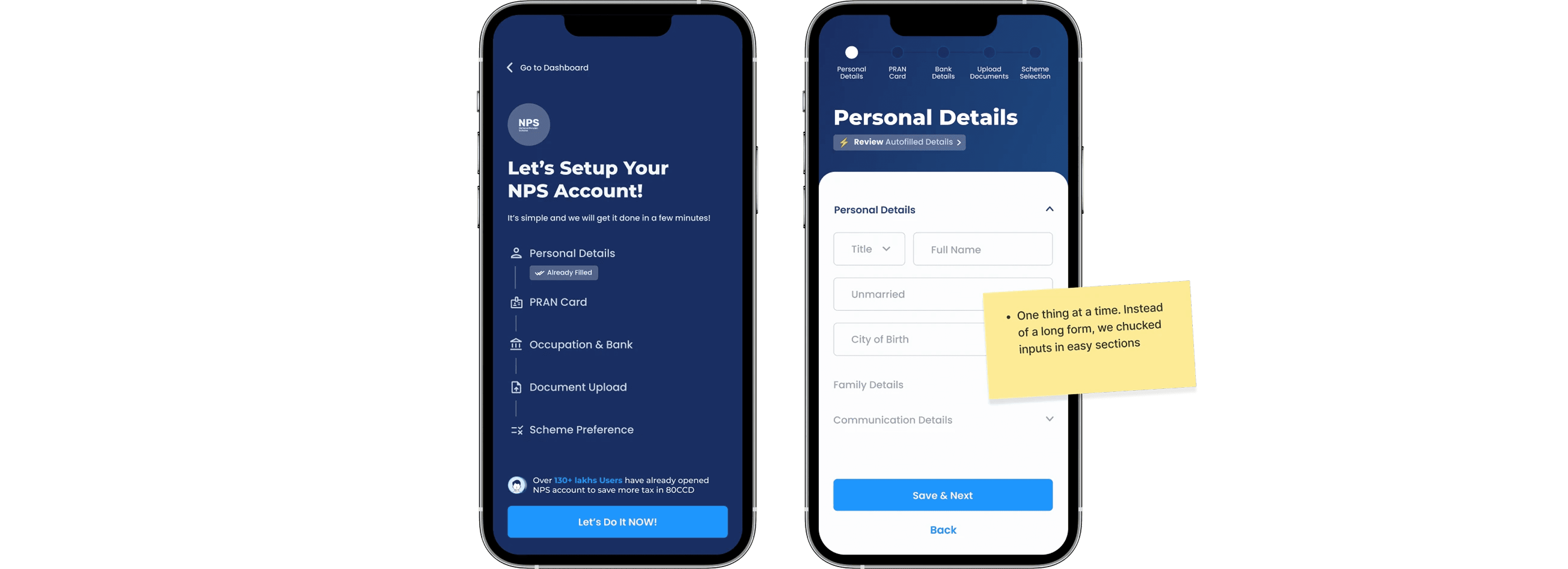
The start screen: set expectations before asking for commitment
Every competitor dropped users directly into a form. No orientation. No sense of how long. Our start screen showed the full journey as a checklist before the user tapped anything. Five steps with icons. The first step already showed "Already Filled" in a green chip to nudge user and subtly communicate that “we are fast”.
Redesigned start screen with breadcrumbs
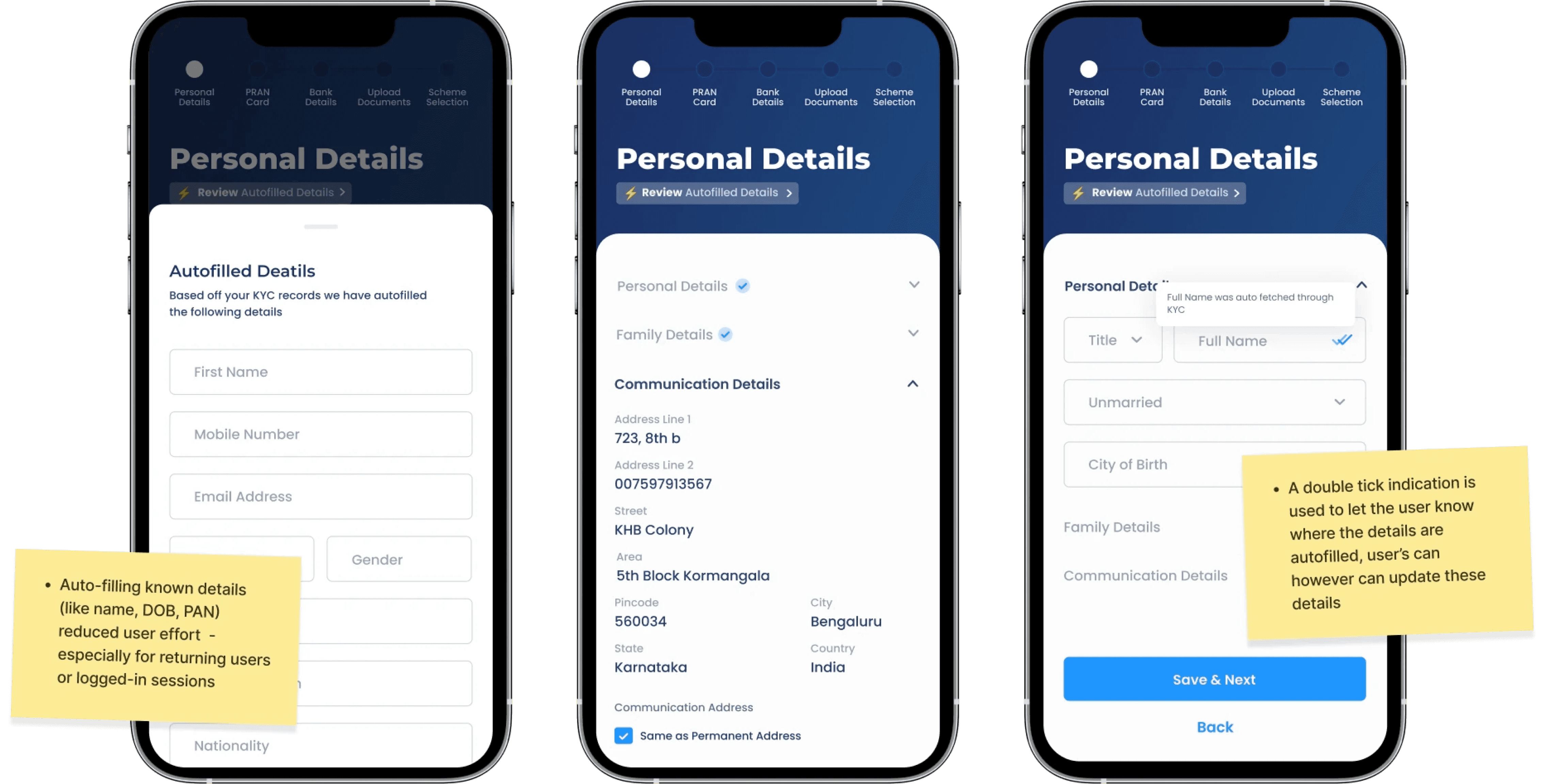
Pre-fill with consent: the mechanic that changed everything
Initially, there were three transitions in the step where the bottom sheet (with the buy/sell option)
moved to the order card.
The form was not a form. It was a review flow. Every screen surfaced pre-filled data from PensionBox's KYC records. A "Review Autofilled Details" CTA made the mechanic explicit from the first screen. Edit icons on every field made control visible without cluttering anything. Most users moved through Personal Details in under 30 seconds, because we made typing largely unnecessary.
Info icons: translating government language into human language
Nobody had explained what FATCA, PRAN, Tier 2 Account meant. Users saw them, felt confused, and dropped. We rewrote every government-originated label, added tooltip info icons to explain jargons. The rule was simple: if a user would pause on reading this, rewrite it.

Chunked forms: one thing at a time
Data collection was reorganised into single-purpose screens grouped by user mental model. Each screen had one heading, one logical group, a visible step counter, and one primary action. Every screen ended with a micro-completion state — a brief "Saved" confirmation and step counter advancing. Not decoration. The pacing mechanism that kept users moving forward instead of feeling like they were grinding through a form.
Save and resume: designing for real life
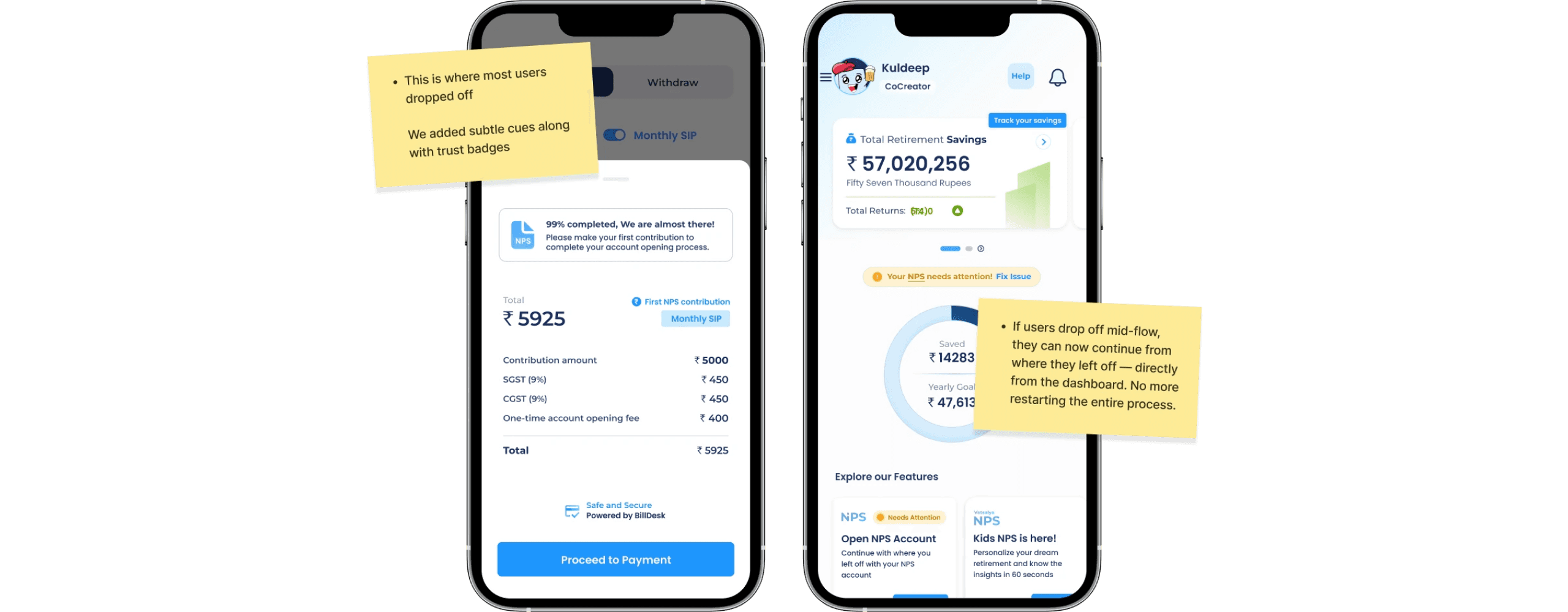
NPS requires documents. Not everyone has their PAN card, Aadhaar, and bank passbook ready in one sitting. The original experience had no session persistence. Close the app mid-flow and start over. We built persistent state across sessions. When a user returned, they landed on a resume screen showing exactly where they left off, which steps were done, which documents were still needed, and a progress percentage. Mid-flow abandonment dropped almost entirely within a month of shipping.
Nudges for users to complete the flow with save assurance
Post launch: V0→ V1
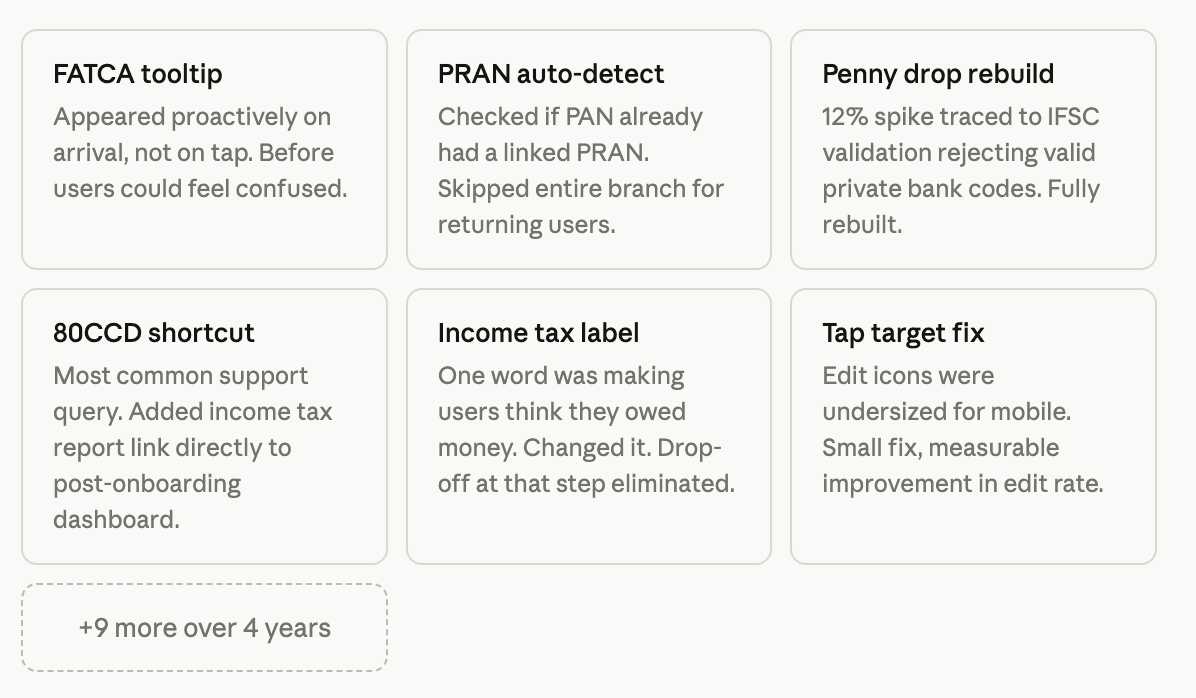
15+ micro-fixes that compounded
Launch was v1, not the end. With no PM pulling me toward new features, I spent significant time after launch doing something most teams deprioritise: reading the friction data and fixing small things systematically. Over four years, they compounded into the product quality that mattered at acquisition.